Existing PDF Alt: compare source text with the AI draft
Existing PDF Alt is the alternative text already stored in a PDF's Figure tags. It is separate from the AI-generated draft. Checking it does not modify the PDF.
Use the tagged synthetic sample for this task. The untagged discovery sample is for finding and classifying images, not proving that an image has no Alt.
1. Load and analyze PDF images
Follow the PDF workflow: upload, prepare, classify, explicitly proceed to Configure, analyze, and review. Keep the source PDF loaded for inspection.
2. Read Existing PDF Alt
The check runs automatically for PDF-sourced review items when the source file is available. Essentials keeps the source status visible; technical evidence starts collapsed.
- Found — read the quoted source text and compare it with the actual image. Existing text may still be incomplete or inappropriate.
- No existing PDF Alt found — the matched Figure has no usable Alt text.
- Unable to determine — the image could not be reliably matched, the structure is inconclusive, or inspection failed. This does not establish that Alt is absent.
For the invented tagged sample, the stored values are “Library visits by season.” on the chart and “Maple Ridge Library logo.” on the logo. The holiday-hours Figure has no Alt value. These known source values are not a guarantee that every image can be matched in every PDF.
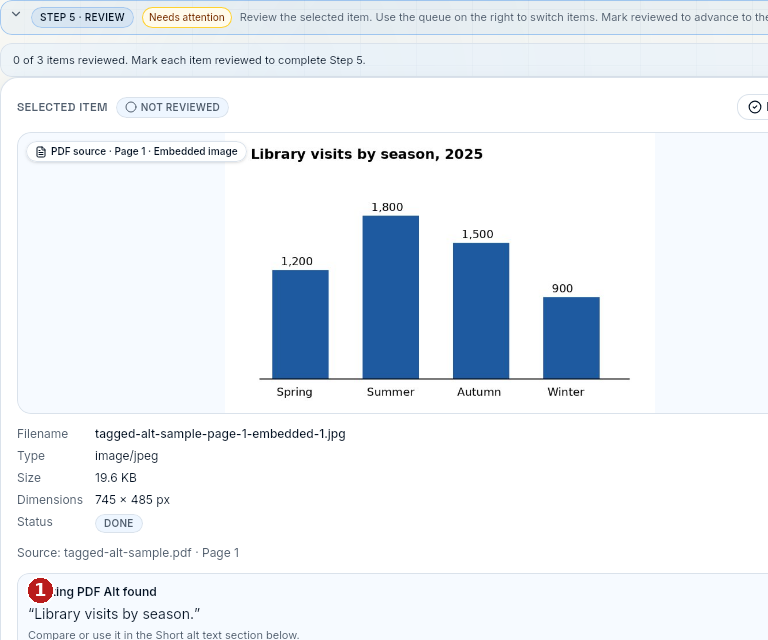 1 The source quote is “Library visits by season.” The source check below the image is separate from the generated result.
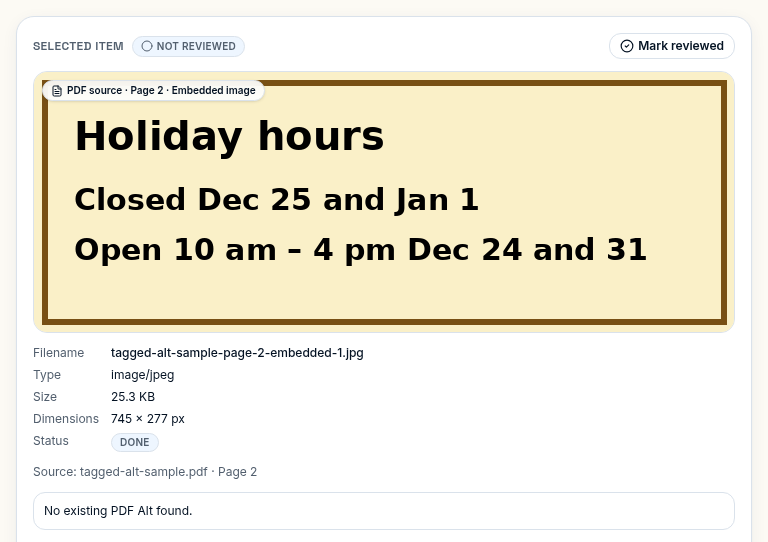 The message "No existing PDF Alt found." appears below the image details: the tagged Figure has no usable Alt value.
3. Choose the final short alt source
When source Alt is found, Final short alt source offers AI-generated and Existing PDF Alt. Choosing the existing text changes the final short alt field; it does not write back to the PDF. Switching back restores the cached AI-side text, including edits made before switching.
For the chart, the existing “Library visits by season.” is generic. Check whether your intended use needs the year, summer peak, and comparison with winter. Correct the short alt and put the complete seasonal values in the long description.
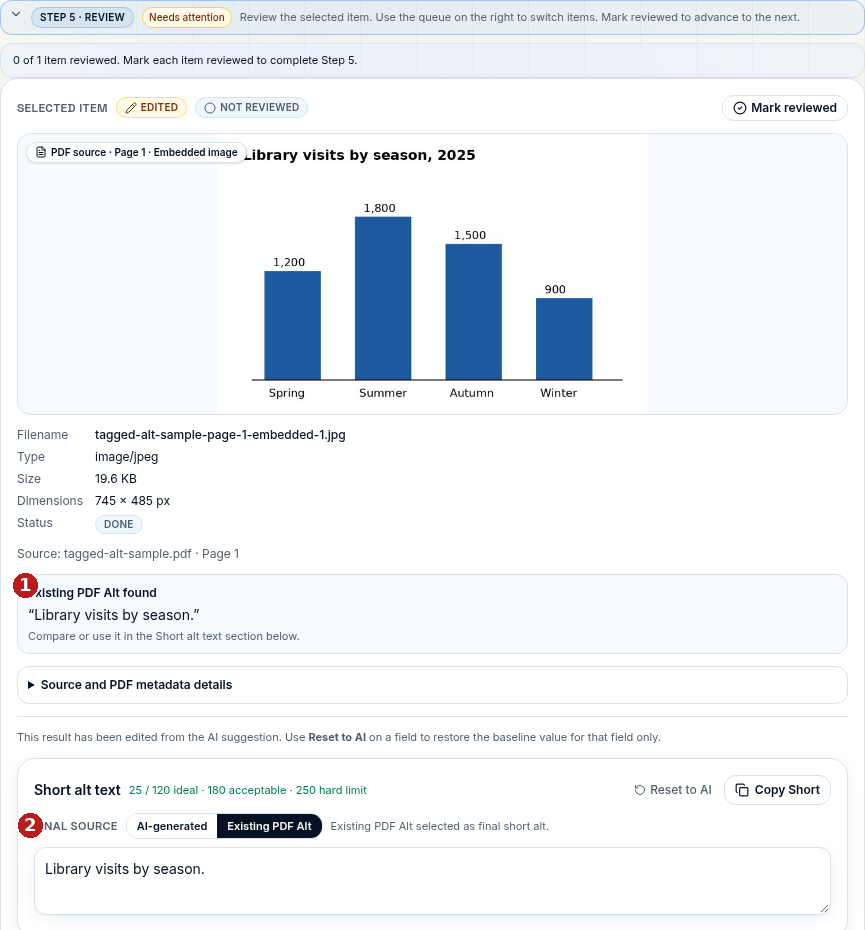 1 The source quote is shown once below the image. 2 Existing PDF Alt is selected under Final source, and the editable short alt contains “Library visits by season.” The accompanying result was generated from this chart, not another sample.
If you see Unable to determine, keep the distinction between uncertainty and absence: inspect the image and review the AI draft rather than assuming the PDF has no Alt. Not every untagged file produces this state.
4. Export the reviewed text
Use CSV, JSON, Audit Report or ZIP to download a review record. Existing PDF Alt is advisory evidence, not an accessibility certification. No internal writeback workflow is part of this guide.